Wardrobe organiser for iPhone and iPad
Your wardrobe, beautifully organised
Catalogue everything you own, put together outfits you love, and plan your days and trips well in advance. Made for people who love organisation. Free for your first 50 items.

No ads, no shopping feed, no noise. Just a quiet, organised home for your clothes.
Know exactly what you own
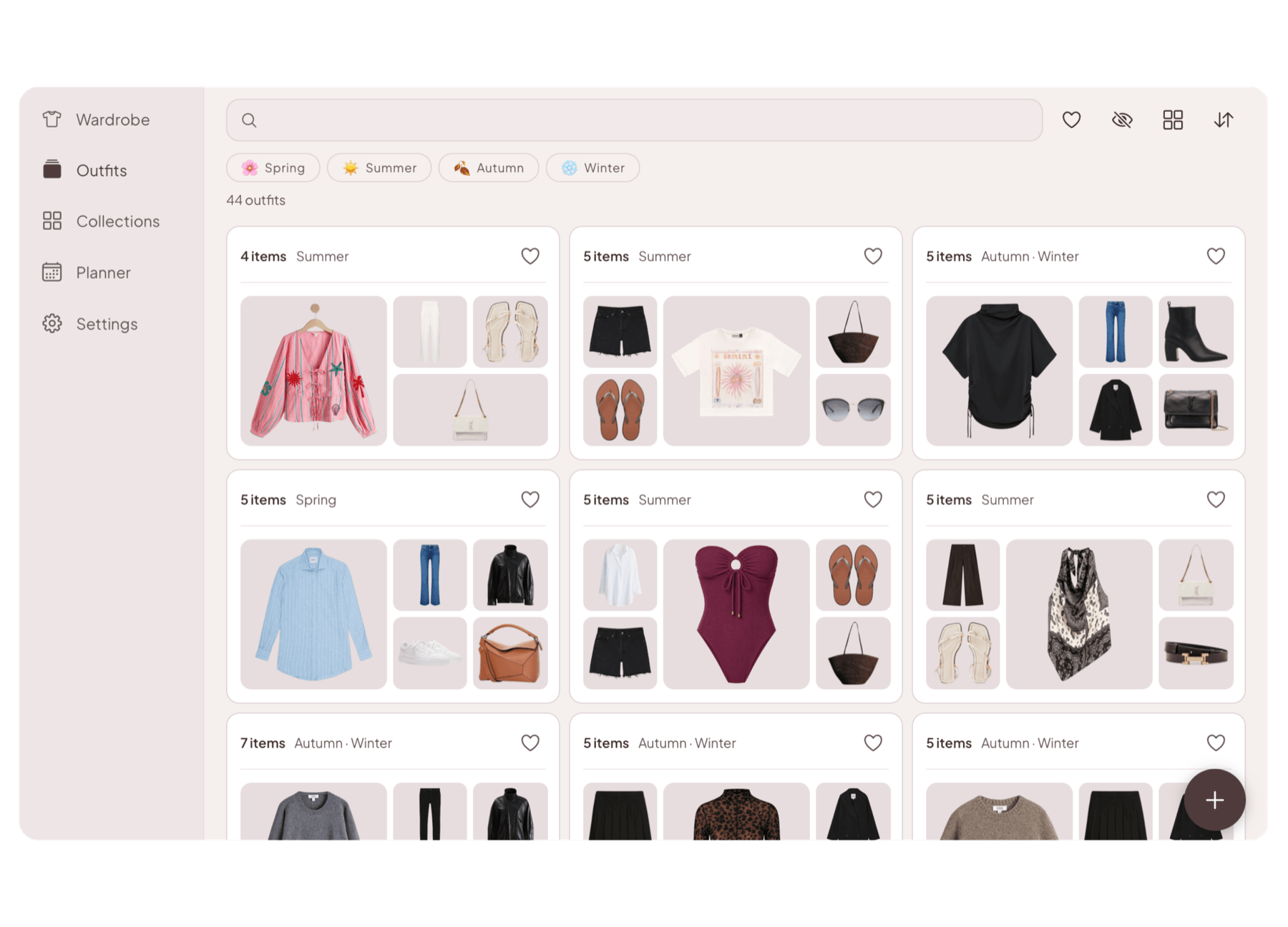
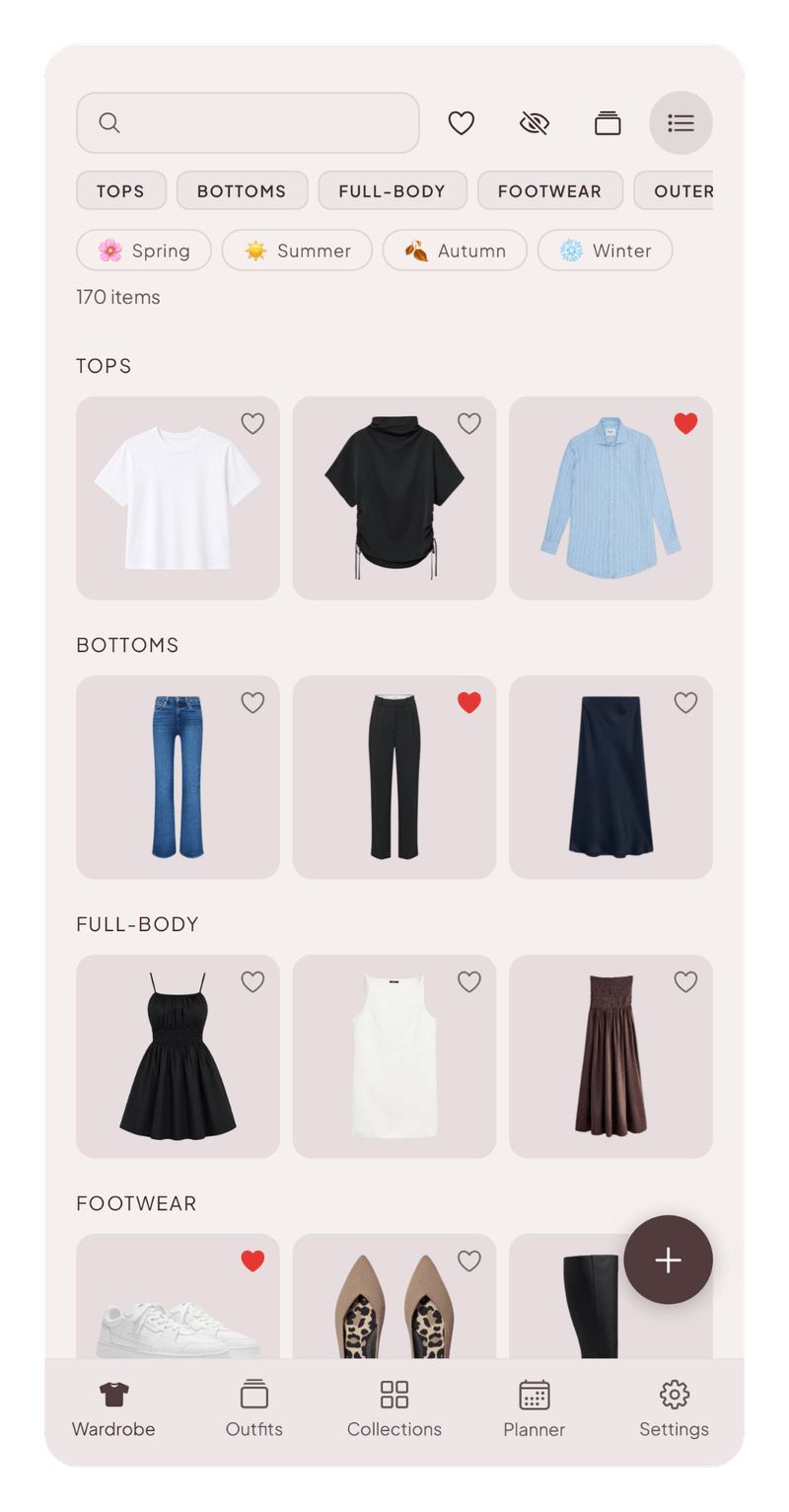
A complete inventory of your wardrobe, organised your way.
Browse everything you own, search and filter by season, colour, brand, tag, and more.
Mark favourites, and hide anything you don’t need to see right now, whether it’s out of season or on its way out.
Keep a wishlist of pieces you’re considering, right alongside what you own.
Your outfits, all in one place
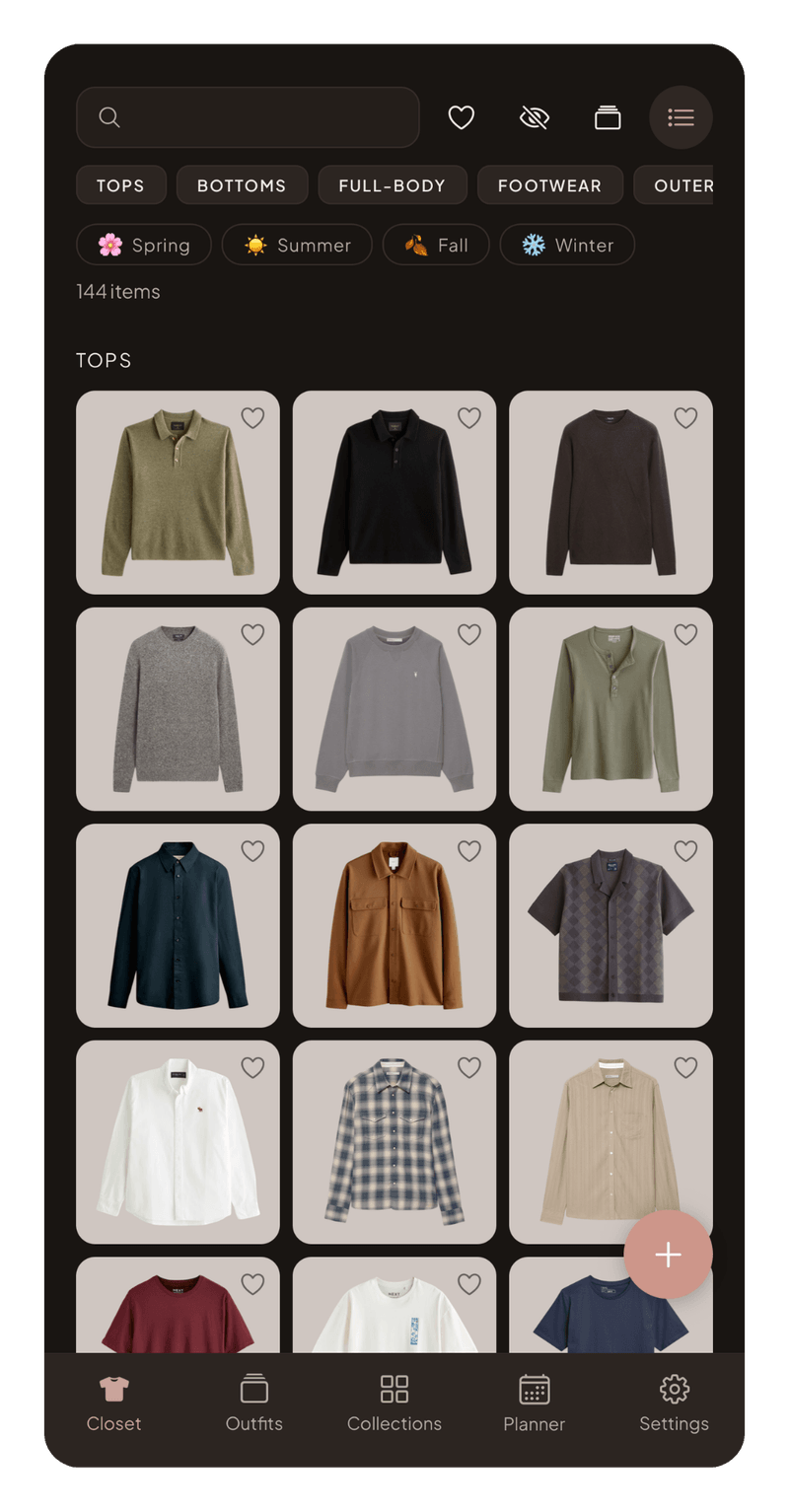
Save every combination, create different versions, and find the right outfit whenever you need it.
Save every combination you put together, so a good one is never forgotten.
Create variants of an outfit for different weather or occasions.
Group items and outfits into collections by occasion, season, or whatever logic suits you, from office to beach to black tie.
Every item looking its best
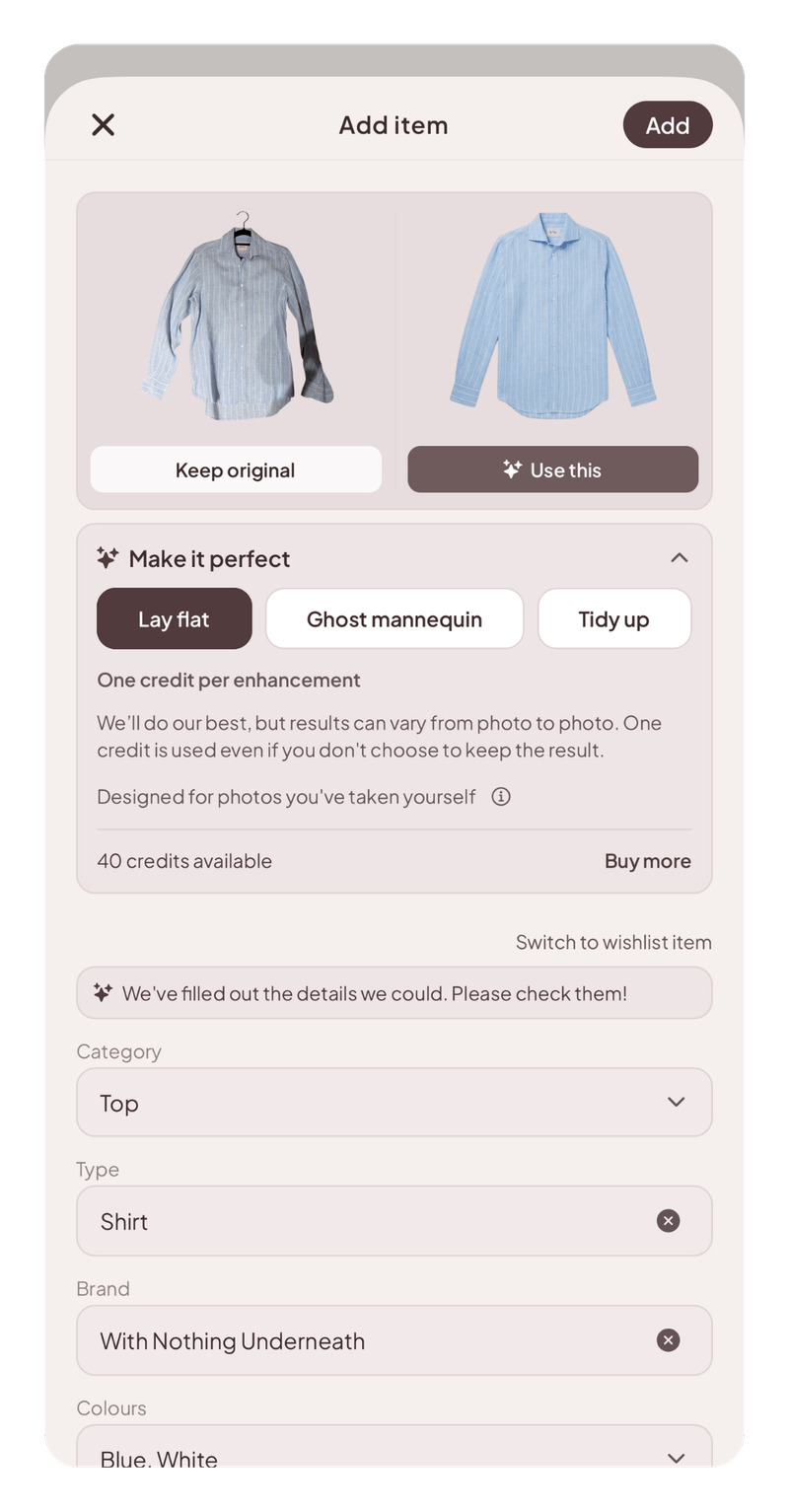
Add items in batches, with details filled in, backgrounds removed free, and polished edits on demand.
Add items one at a time or in batches, and the details it can spot are filled in for you, from category and colour to brand and price.
Backgrounds removed automatically, always free.
Make a quick snap look like a catalogue photo. Tidy it up, lay it flat, or show it on an invisible mannequin.
Polishing a photo uses a credit, and you start with 25.
Plan ahead, day by day
Plan tomorrow, next week, or further ahead, and take the guesswork out of getting dressed.
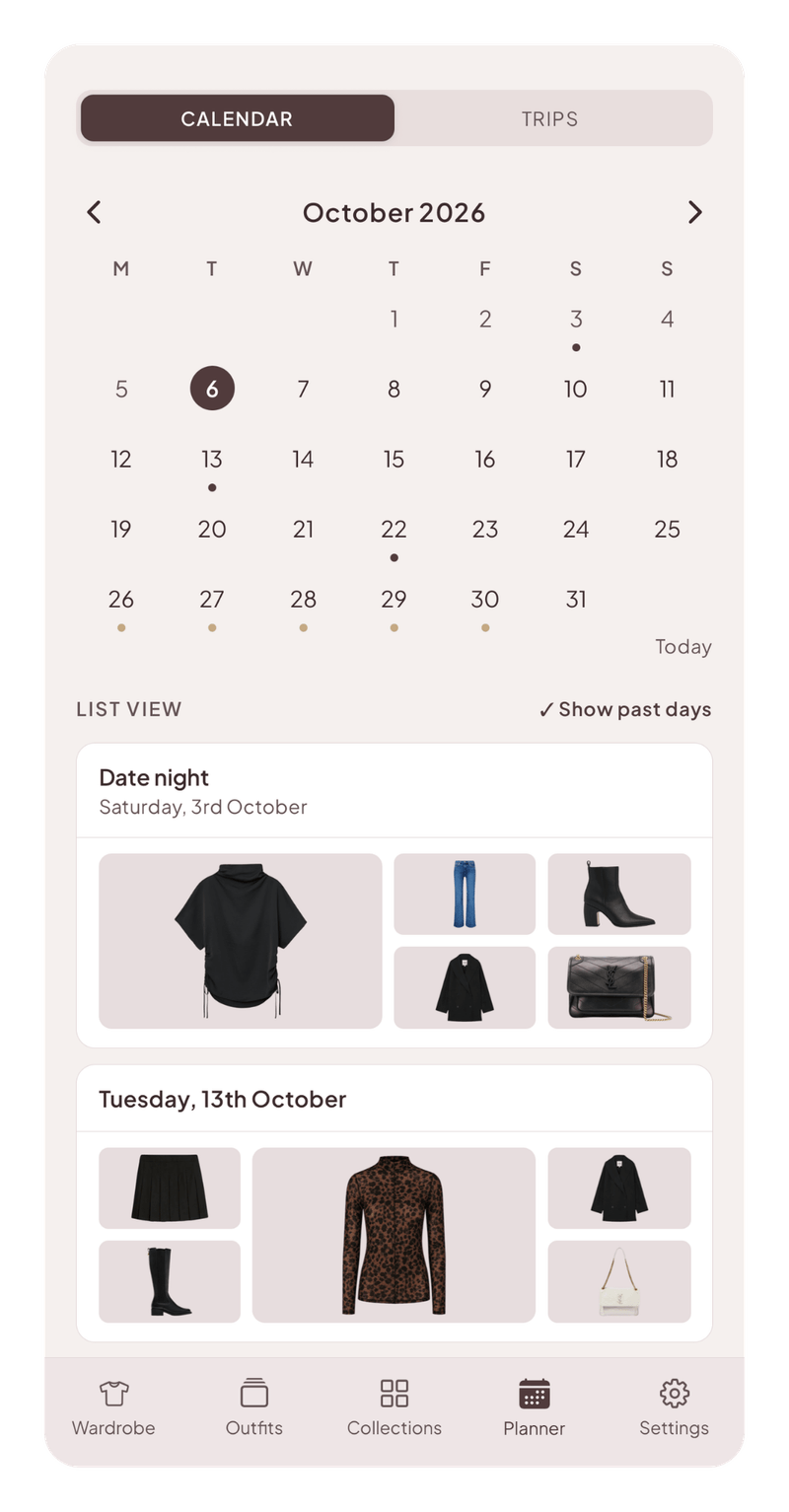
Put an outfit on any day in your own calendar, whether tomorrow, next week, or months ahead.
Plan day and evening outfits separately.
Scroll through the days ahead to see what’s planned, or back through the days behind to see what you wore.
Packing without the panic
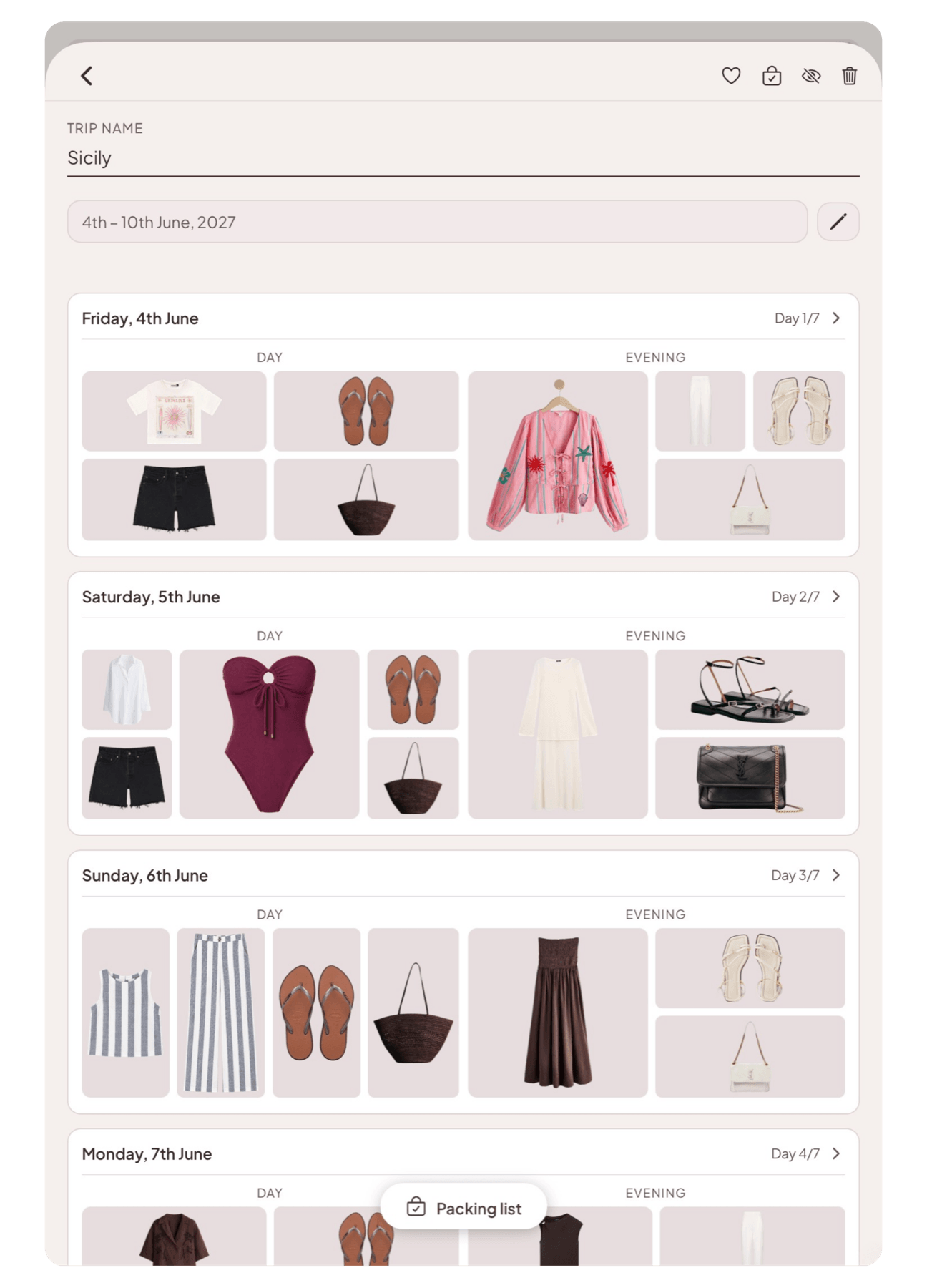
Plan your trip your way, by day or by section, with outfits and packing all in one place.
Choose how to plan each trip. Day by day, with an outfit for every date, or in sections like beach, dinners, and sightseeing that hold as many outfits as you like.
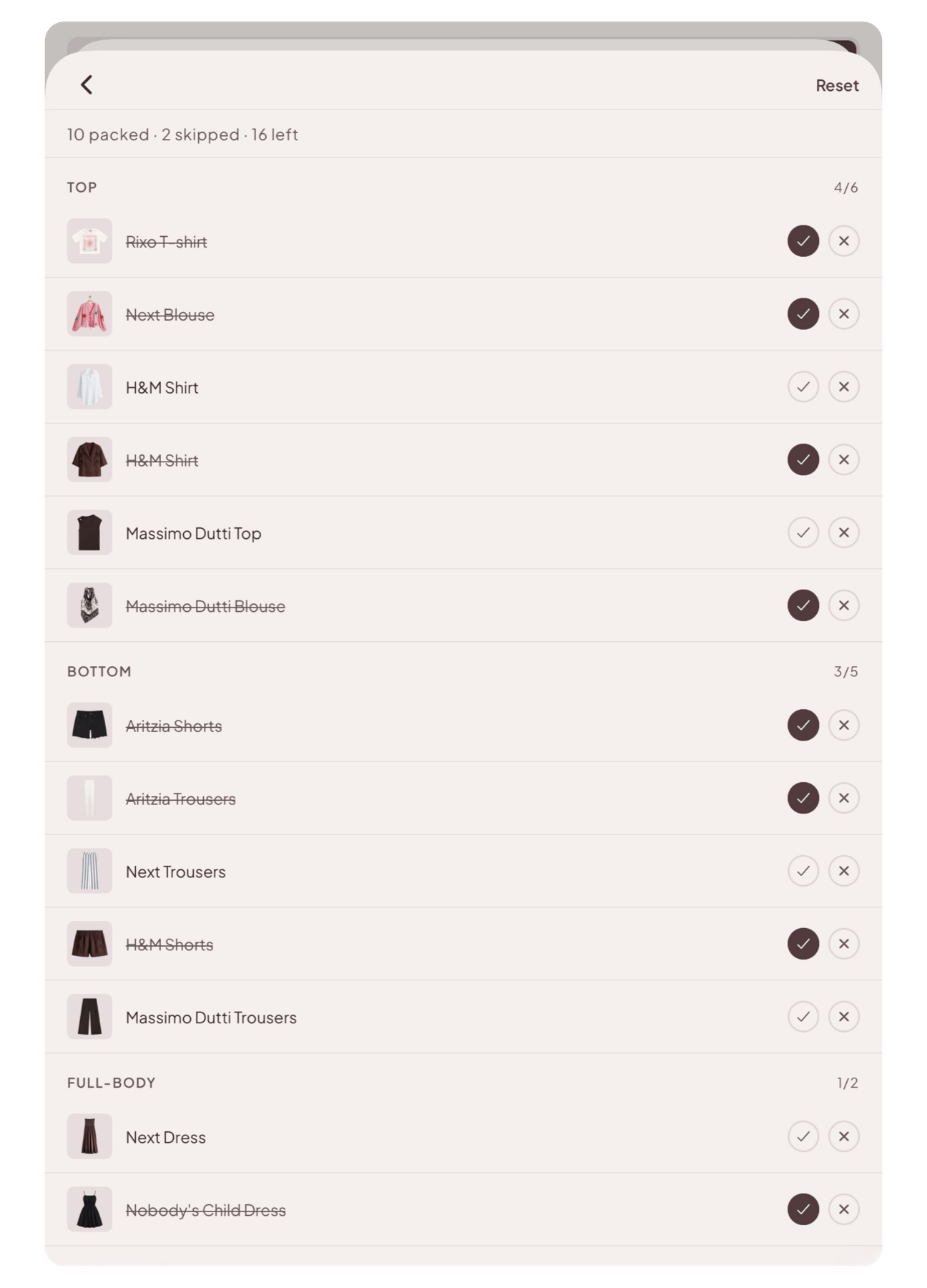
Your packing list builds itself from the outfits you chose, so you can tick things off as they go in the luggage.
Add your packing staples once, from socks and chargers to toothpaste and ear plugs, and they’re on every list from then on.
Know your wardrobe better
See your wardrobe in numbers, from what it’s worth to what you wear most.
See what your wardrobe is worth, in total, category by category, and which pieces are the most valuable.
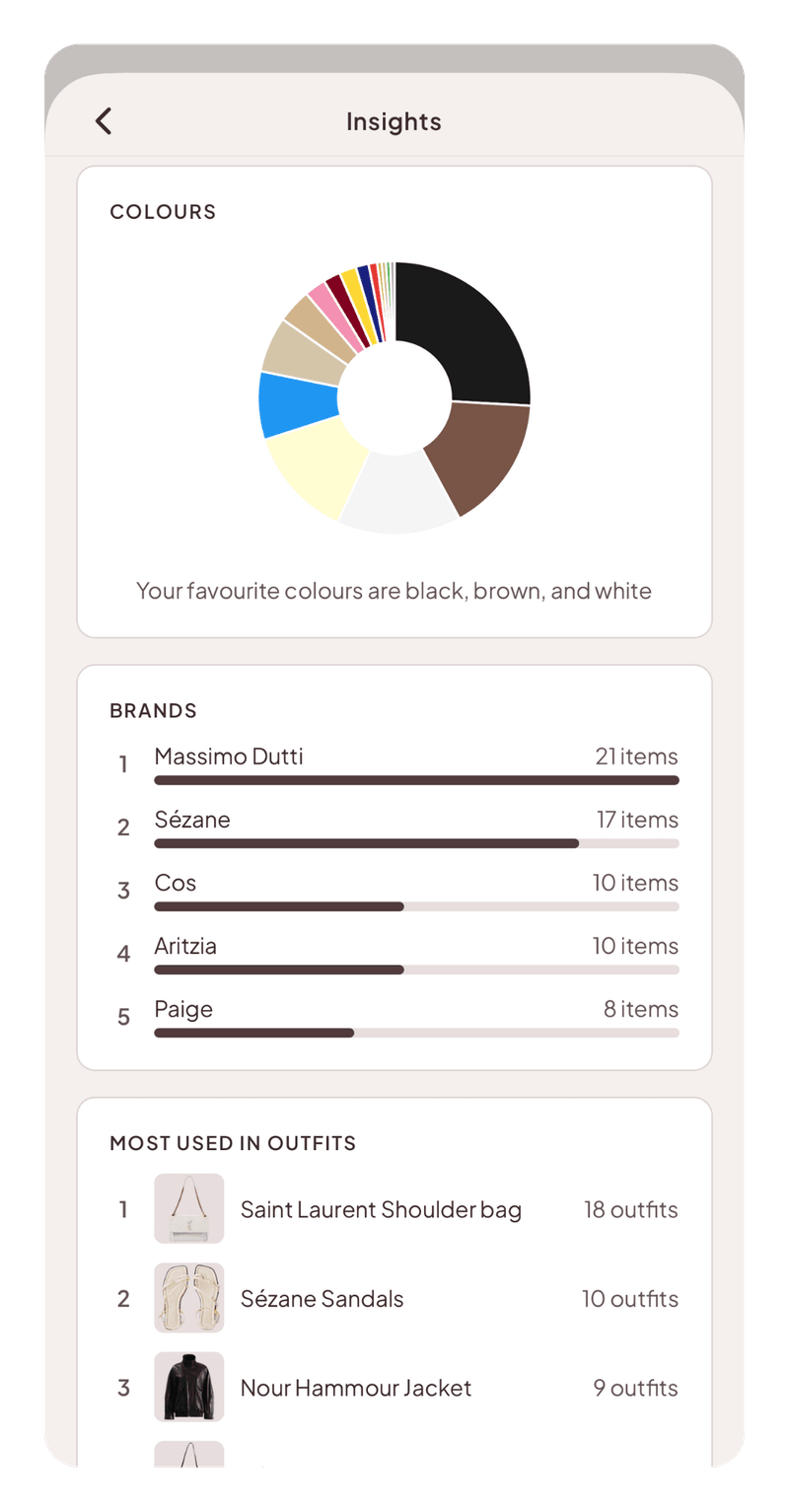
Find your favourite colours at a glance, the brands you keep coming back to, and how your wardrobe splits across the seasons.
Keep track of the year so far, with how many items you’ve added and what you’ve spent.
See which pieces you reach for most, counted across every outfit you’ve put together.
Made to feel like yours
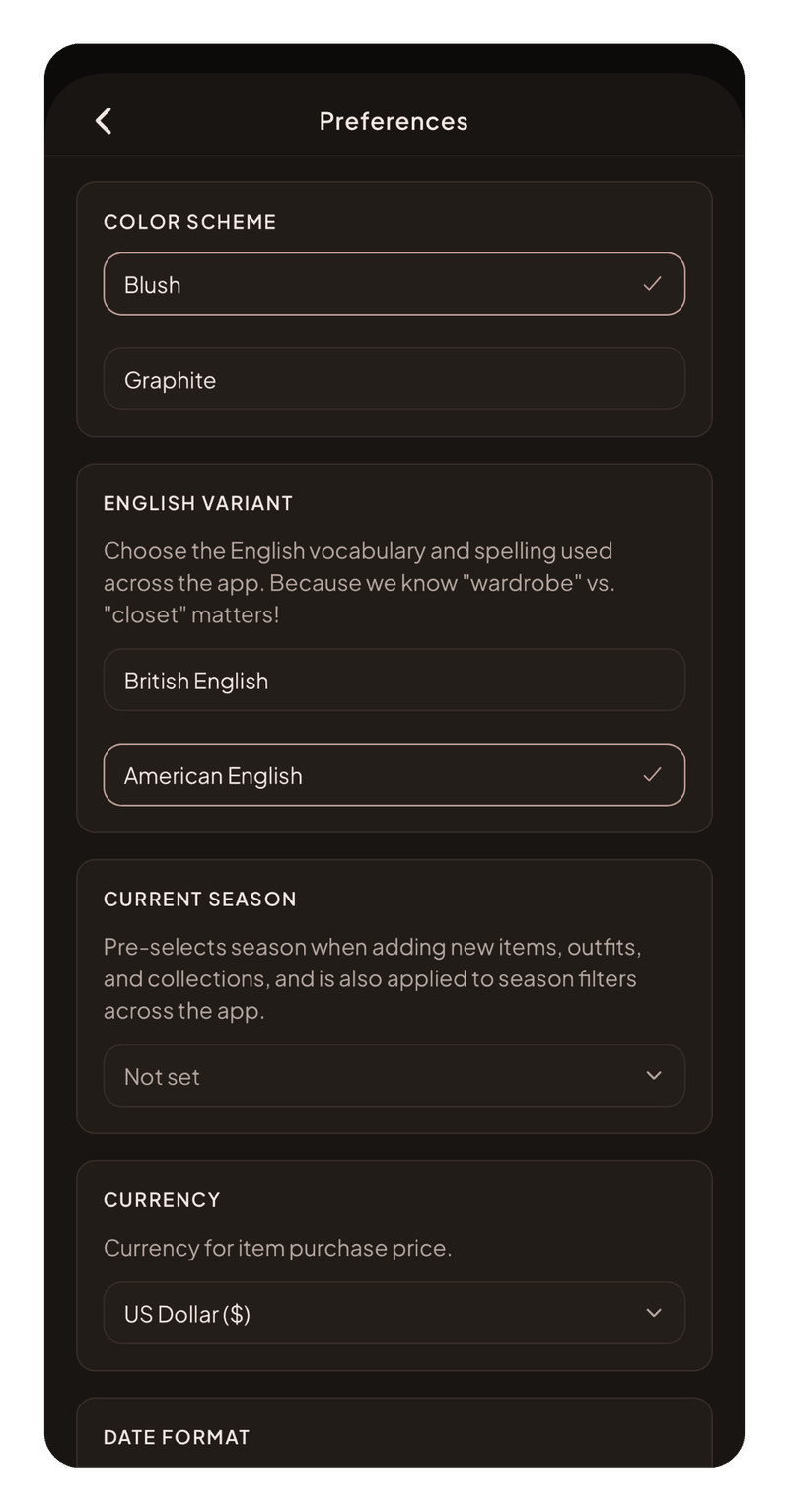
Thoughtfully tailored in the little details, from colour schemes and categories to sizes, spelling, and more.
A choice of colour schemes, with dark mode supported.
British or American English, because we know wardrobe versus closet matters!
Set your sizes, reorder categories, customise item types, and pick your currency and date format.
Designed for iPhone and iPad, portrait and landscape.
Why I made Armadia
Armadia is made for people who love organisation. I wanted a wardrobe app that did its job quietly and beautifully, with the details that mattered to me and none of the noise. For me that meant no ads, no shopping feed, and AI used with care. Just my wardrobe, ready for whatever the week or the next trip needs. I couldn’t find it, so I made it.
 Hannah Voice, creator of Armadia
Every plan includes every feature
Plans only differ in how many items you can keep
Free
Free
Start with your favourites
Up to 50 items
25 image enhancement credits included
Pro
£3.99 / month
Enough for most wardrobes
Up to 250 items
25 image enhancement credits with your first upgrade
Plus
£7.99 / month
Twice the space, if you need it
Up to 500 items
25 image enhancement credits with your first upgrade
Image enhancement credits
£2.49 for 25·£4.49 for 50·£7.99 for 100
Prices as shown on the UK and US App Store. Other countries see their local price there.
FAQs
How is Armadia different from other wardrobe apps?
Many wardrobe apps today are built around AI styling. They’ll suggest outfits for you, dress a virtual version of you, plan a trip around the weather forecast, connect you with stylists, and help you shop and sell. There are some great choices out there, and it’s worth trying a few to discover which suits you most. But if an AI stylist is what you want, Armadia might not feel like the right fit.
Armadia is for a different person. You already know your own style and you enjoy being organised. You want a complete, beautifully kept record of what you own, a place to save the outfits you put together, and a planner that makes dressing and packing calm instead of a scramble. Armadia is thoughtful about where AI goes. It handles the chores, like removing backgrounds from photos, enhancing photos when you ask it to, and filling in details like category, colours, and brand, and leaves the choosing to you. We’ll likely add more AI features over time, but only once they’ve earned their place and are right often enough to be worth trusting.
Armadia has no ads, no shopping feed, and no commission links, so the app has no reason to pull your attention anywhere but your own wardrobe. That’s why our plans for storing more items aren’t free. We’re working to build a beautiful, useful, and sustainable app without investors, advertisers, or retailers behind us. Every feature is available for free with up to 50 items, for as long as you like. If you have a smaller or capsule wardrobe, that might be all you ever need! Pro and Plus are there for when your wardrobe needs a little more room.
Which devices does it work on?
iPhone and iPad, on iOS or iPadOS 18 or later.
Does Armadia use AI?
Yes, and we’re intentional about where it goes. Armadia uses AI for a few key features, including removing backgrounds from photos, enhancing photos when you ask it to, and filling in details like category, colours, and brand so you don’t have to type them.
Is Armadia suitable for menswear?
Absolutely! Armadia has no men’s mode or women’s mode, because the categories describe the garment rather than who’s wearing it. You name the item types yourself, so your wardrobe uses your words. Sizes include collar measurements from 14 to 18.5 inches and chest from 36 to 48, alongside letter sizes and UK, US and EU numbers, and shoe sizes run to UK 14. If there’s anything missing, please let us know!
What are enhancement credits?
Removing the background from a photo is always free. A credit is for the extra step of making a quick snap look like a catalogue photo by tidying it up, laying it flat, or showing it on an invisible mannequin. You start with 25 credits and can purchase more if you need them.
Do I need enhancement credits?
Not necessarily. We keep credits as cheap as we can. They’re a convenience, not a money-maker, and they’re there so you can tidy up a photo without leaving the app. If you’d rather skip them, screenshot the item from the website, since product photos laid flat on a plain background are already professionally optimised. Don’t worry if your screenshot catches bits around the edges (e.g. the page background, pricing, sizes) since background removal is included as standard, so all of that gets cleared away. This works for new purchases and for things you own that are still listed online.
The enhancements in the app aren’t magic (although they’re pretty cool!) and lots of photo editing tools can do the same job. Perfect a photo before uploading and you won’t need credits at all. Many people prepare their photos for the big initial import, then keep a small pack for the odd item they can’t find a clean image for.
What happens if I downgrade?
Downgrading never deletes anything. Items over your new limit are locked, not lost, and unlock again if you come back.
How does hiding items work?
Hiding an item works like an archive. It’s for things you’re not ready to delete but don’t want to see, such as pieces you’re thinking of selling, something you’ve lent to a friend long term, or things you used to own and want to keep a record of. Hidden items stay in your wardrobe, can still be viewed and searched for at any time, and can be brought back whenever you like, or deleted for good when you’re ready.
Tags are also a flexible way of controlling what you see in your wardrobe. Say you want to store your gym clothes or Halloween costumes in your wardrobe app but don’t want to see them every day. Tag them, then in your wardrobe view settings exclude that tag so they don’t appear by default. Unlike hidden items, tagged items stay usable. You can still add them to outfits and collections, they just don’t clutter the everyday view.
Is there an Android or web version?
Not at the moment. Armadia is currently available for iPhone and iPad only.
Does my wardrobe sync between my iPhone and iPad?
Yes. Your wardrobe is saved to your account, so you see the same items, outfits, and plans on every device you sign in on.
Can I export my data?
Yes! Under Settings > Account, you can export all of your wardrobe data as a CSV file, including links to download all of your images.
Get in touch
If you need help, have a question, spot something that isn’t quite right, or have an idea for the app, please send me an email!
support@armadia.co.uk